How To | Create a UCI Link for Zoom Rooms Third-Party Controls
Learn how to create a UCI link for Zoom Rooms Third-Party Controls.
Procedure
Use the following steps to create a UCI Link from core manager:
Q-SYS Cores
- Use a browser to go to the IP address of your Q-SYS Core.
- Navigate to User Control Interfaces > Your Zoom Control UCI and select it.
- Select the Tab at the top of the UCI labeled UCI Links.
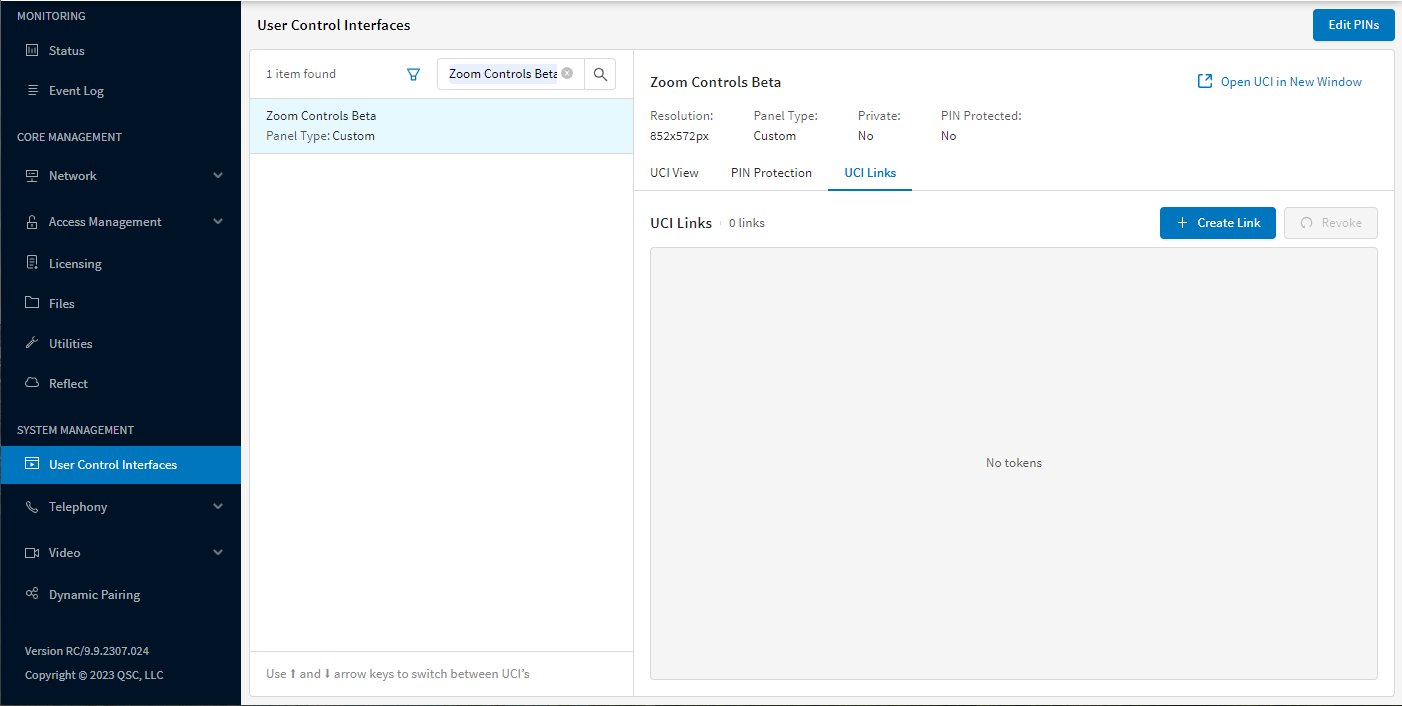
- Select the Create Link and provide a custom link name for identification.
- A Pop window will display with the URL Path and Token.
Caution
You must copy these down to a safe location as they will not be able to be displayed again.
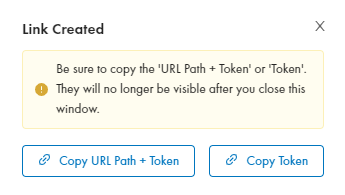
- The URL Path and Token will be entered into Zoom Admin Dashboard for configuration with the Q-SYS and Zoom Integration
Note
When you select “Copy URL Path + Token”, the URL and token will be copied as one string. When you enter these into your Zoom Admin Portal settings, you will need to enter the URL Path and Token into different fields.
In this example, “/api-uci/v0/ucis/” is the URL Path, and “abcde1eb-e357-48e1-a3a1-lmno20949a1f” is the Token.
RoomSuite Modular System
- Open RMP-100 web page.
- Go to ROOM SETUP > Devices.
- Set Conferencing Compatibility Mode to Zoom Rooms.
.png)
- Select Link Room Control.
- Select Generate and Copy URL Path + Token.
.png)
- The URL Path and Token will be entered into Zoom Admin Dashboard for configuration with the Q-SYS and Zoom Integration
Note
When you select “Copy URL Path + Token”, the URL and token will be copied as one string. When you enter these into your Zoom Admin Portal settings, you will need to enter the URL Path and Token into different fields.
In this example, “/api-uci/v0/ucis/” is the URL Path, and “abcde1eb-e357-48e1-a3a1-lmno20949a1f” is the Token.
Examples
URL Path + Token
/api-uci/v0/ucis/abcde1eb-e357-48e1-a3a1-lmno20949a1f
Token
abcde1eb-e357-48e1-a3a1-lmno20949a1f
Domain name
https://my-core.qsc.com/api-uci/v0/ucis/
IP Address
https://192.168.xxx.xxx/api-uci/v0/ucis/
Zoom Admin Dashboard URL
Domain Name
https://my-core.qsc.com/api-uci/v0/ucis/

or
IP Address
https://10.0.1.123/api-uci/v0/ucis/
